ER Control · for controller players on PC
Your controller. Your rules. Your edge.
ER Control reads your controller on PC and adds macros, per-weapon recoil, AI aim and Auto Plate. No adapters, no opening the controller, nothing else to buy.
01 / 03 · How it works
Plug in your controller.The one you already use. ER Control detects it: PS5, Xbox or GameSir.
Turn on your assists.Recoil, AI aim, rapid fire or Auto Plate, each one a click away and saved per profile.
Play like always.The game sees a normal controller at 1000 Hz. You get everything else.
Your controller, button by button.
This is the real app. You see every button, every stick and every assist live, and it switches by itself when you plug in another controller.
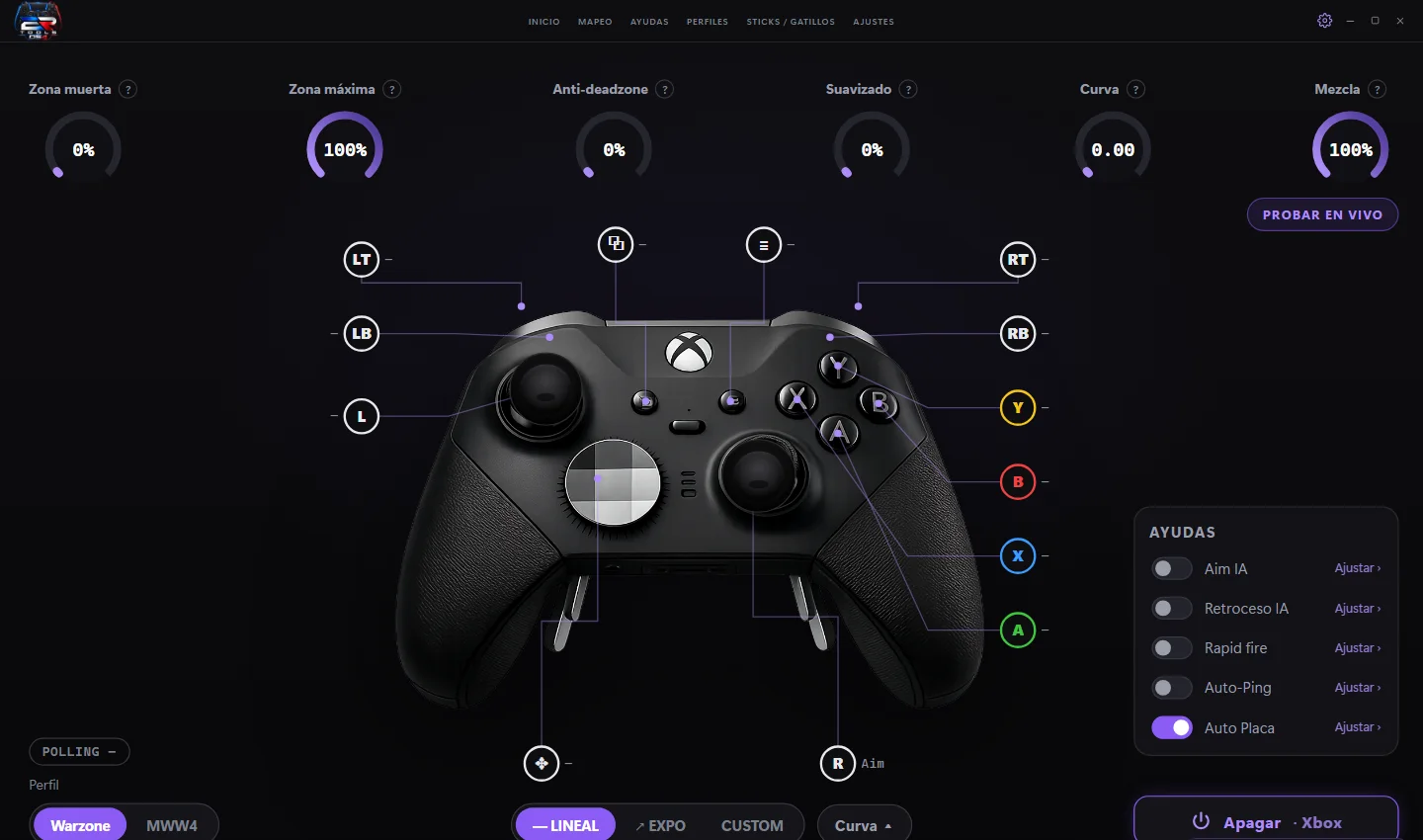
- 1Zones and curveDeadzone, anti-deadzone, smoothing and stick curve.
- 2Your controller on screenPhoto and buttons of your model. With Xbox you get LB, RB, Y, B, X, A.
- 3One-click assistsAI aim, recoil, rapid fire, Auto-Ping and Auto Plate.
- 4Per-game profilesWarzone, MWW4 or your own, each with its assists.
- Virtual controller
- 1000 Hzmeasured in the app
- Controllers
- PS5 · Xboxand GameSir, up to 8000 Hz
- AI aim
- On your GPUour own model, real matches
- Updates
- Automaticthe app updates itself
Everything it adds to your controller
Each feature turns on and off by itself or with the button you choose.
ER Control
One edition, everything included. Yearly license for 1 PC.
Everything included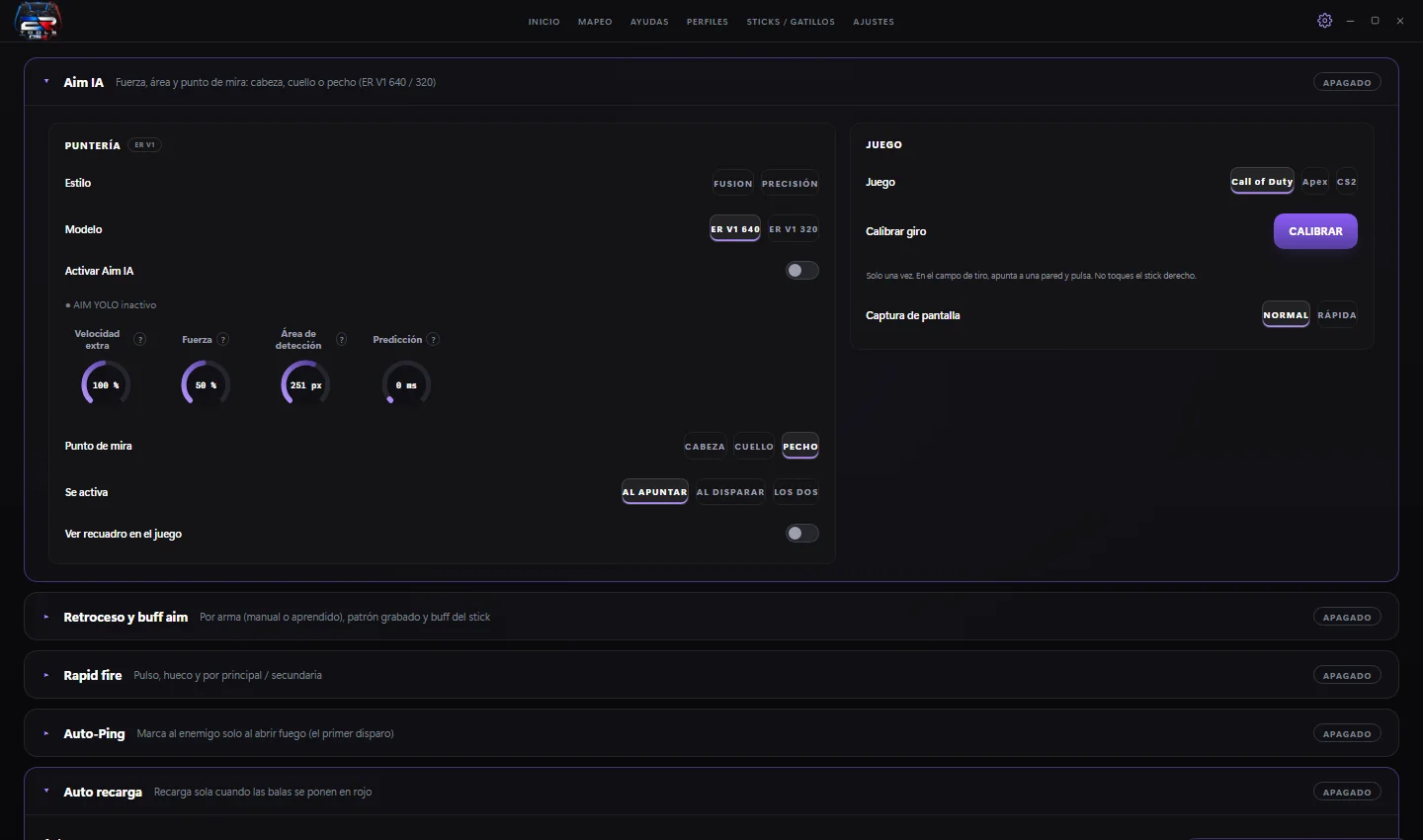
ER Control
$100 / yearYour PS5, Xbox or GameSir controller on PC, with macros, recoil, AI aim and Auto Plate.
- Every feature, no LITE
- Automatic updates all year
- Support on Discord
Plugins for creators
For After Effects and Photoshop. One-time payment, Windows and Mac.
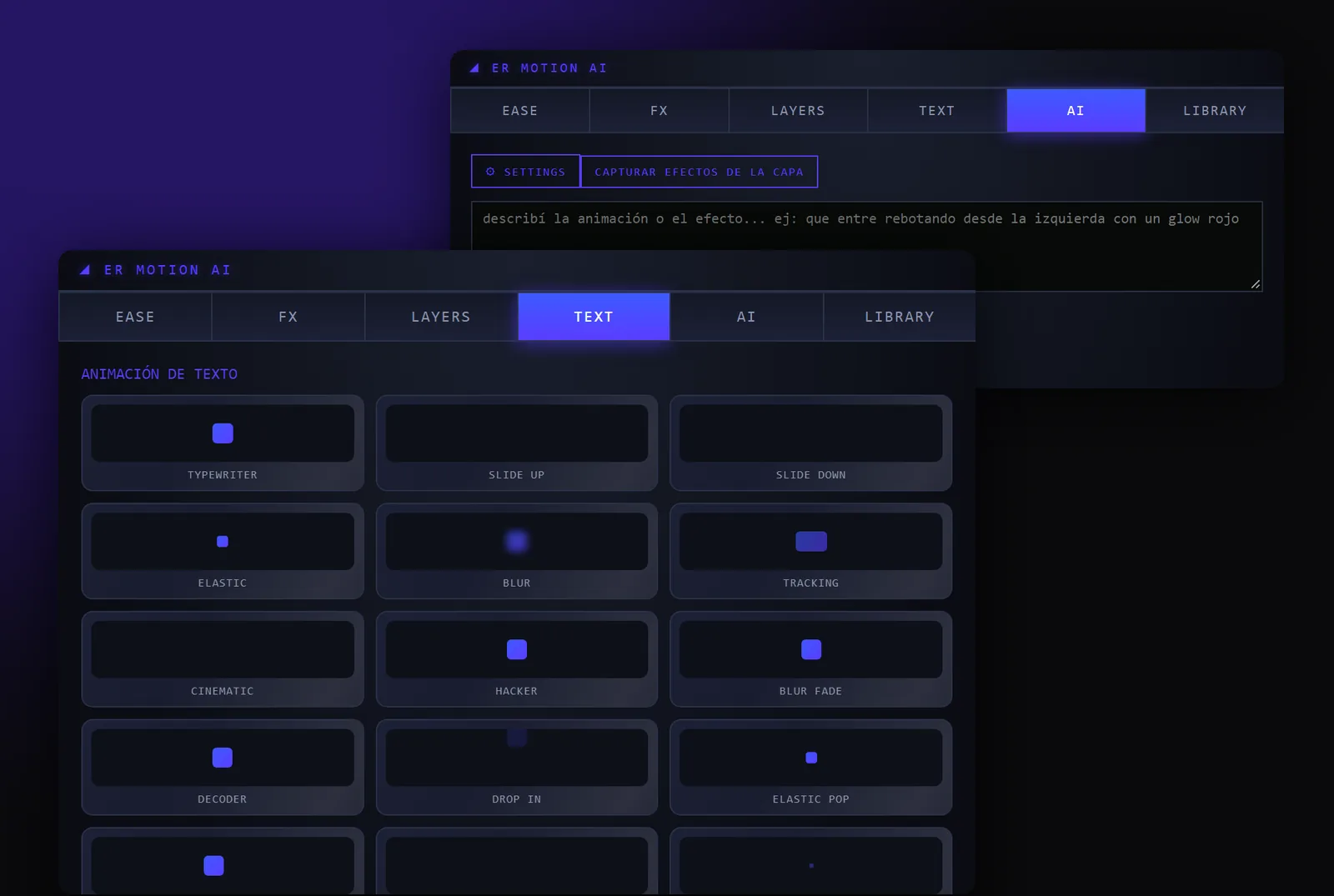
ER Motion AI
$49 one-timeType what you want the layer to do and the panel adds the keyframes, expressions and effects.
See the plugin
ER DTF Halftone
$39 one-timeTurns shadows, gradients and photos into solid ink dots on a transparent background. Less ink, softer hand feel.
See the pluginHow to buy
- 1Send us your orderFrom the order form, with your email.
- 2We replyWe email you with payment by PayPal or bank transfer.
- 3Get your keyWith the download link. Install, paste the key and it is tied to your PC.
- 4Plug in and playThe app updates itself every time a new version comes out.
FAQ
Which controllers work?
DualSense and DualSense Edge, Xbox and Elite controllers, GameSir and most generic controllers, wired or with their dongle.
Do I need to buy an adapter?
No. Everything happens on the PC. Plug in your controller as usual and ER Control does the rest.
Does it work with mouse and keyboard?
No. ER Control is for controllers only.
I already have ER Fusion PRO. What happens?
It updates itself to ER Control with your same key and profiles.
How do I pay?
Send the order from the form and we email you with PayPal or bank transfer.
How many PCs can I use?
One key per PC. If you change computers, we move it to the new one.
What happens after a year?
You renew by writing to us. There are no automatic charges.
Join the Discord
Live support, community clips, news on every version and a private area for customers.